


Build an Online Business with WordPress: What Actually Matters in the Beginning
Many people start a WordPress website thinking traffic alone will generate money. Then reality hits.
The site loads slowly, visitors leave, plugins conflict with each other, SEO never improves, and the business side becomes chaotic.

To successfully Build an Online Business with WordPress, you need more than a theme and a few blog posts. You need structure, monetization strategy, reliable plugins, good hosting, and a site that people trust enough to buy from.
The good news is that WordPress remains one of the best platforms for building scalable online businesses because it gives you complete control over SEO, design, monetization, and growth.
This guide focuses on practical execution, not theory.
Why WordPress Is Still the Best Platform for Online Businesses
Many platforms promise “easy business websites,” but most become limiting once your traffic or monetization grows.
WordPress gives you flexibility that closed platforms cannot match.
With WordPress, you can:
- Build affiliate websites
- Launch WooCommerce stores
- Sell digital products
- Create membership sites
- Offer services
- Build email funnels
- Optimize SEO deeply
- Control your hosting and performance
That flexibility is exactly why experienced marketers still rely heavily on WordPress.
According to the official WordPress statistics, WordPress powers a massive percentage of websites globally.
Official source:
https://wordpress.org/about/
Step 1: Choose Hosting That Will Not Destroy Your Site Speed
Bad hosting ruins more WordPress businesses than most people realize.
Cheap overloaded servers create:
- Slow page loading
- Database lag
- Random downtime
- Poor SEO performance
- Failed plugin updates
- Checkout issues in WooCommerce
Before installing themes or plugins, prioritize hosting quality.
What to Look For
Choose hosting that offers:
- SSD or NVMe storage
- PHP 8+
- Daily backups
- LiteSpeed or optimized Apache/Nginx
- Good support response times
- Malware scanning
- Strong uptime
Avoid hosting companies that promise “unlimited everything” for unrealistically low prices.
Those plans often become unstable once traffic increases.
Recommended Business Hosting Setup
For beginners:
- Shared hosting with LiteSpeed caching
For growing websites:
- Cloud hosting or managed WordPress hosting
For WooCommerce:
- Dedicated resources become extremely important
Internal Link Suggestion:
- Best WordPress Hosting for Beginners
- How to Speed Up a Slow WordPress Website
Step 2: Use a Lightweight Theme From the Beginning

One of the biggest mistakes beginners make is installing visually impressive themes packed with unnecessary effects.
Heavy themes create:
- Slow loading times
- Poor Core Web Vitals
- JavaScript conflicts
- Mobile rendering problems
To Build an Online Business with WordPress successfully, performance should matter from day one.
Good Theme Characteristics
A strong business theme should be:
- Fast
- Mobile responsive
- Frequently updated
- Compatible with SEO plugins
- Compatible with WooCommerce
- Lightweight
Popular Reliable Themes
- Astra
- GeneratePress
- Kadence
- Blocksy
These themes work well because they prioritize performance without sacrificing customization.
Step 3: Install Only Essential Plugins
Many WordPress sites fail because plugin management becomes uncontrolled.
People install:
- Multiple SEO plugins
- Duplicate cache plugins
- Heavy page builders
- Broken nulled plugins
- Outdated extensions
This eventually creates instability.
Essential Plugins Most Online Businesses Need
SEO Plugin
Use one:
- Rank Math
- Yoast SEO
- AIOSEO
Caching Plugin
Use one:
- LiteSpeed Cache
- WP Rocket
- FlyingPress
Security Plugin
- Wordfence
- Solid Security
Backup Plugin
- UpdraftPlus
Image Optimization
- ShortPixel
- Imagify
Avoid installing plugins simply because tutorials recommend them.
Every plugin should solve a real problem.
Step 4: Build an Online Business with WordPress Using SEO From Day One
SEO becomes much harder when ignored early.
Many site owners publish dozens of articles before setting:
- Permalinks
- Metadata
- Internal links
- Categories
- Schema
- Sitemaps
Fixing those mistakes later becomes messy.
Important SEO Foundations
Use Clean Permalinks
Bad:
example.com/?p=123
Better:
example.com/wordpress-business-guide
Inside WordPress:
Settings → Permalinks → Post Name
Create Content Clusters
Instead of random posts, build topic-focused groups.
Example:
- Main guide about WordPress hosting
- Supporting article about caching
- Supporting article about CDN setup
- Supporting article about plugin conflicts
This improves topical authority.
Optimize Internal Linking
Strong internal links:
- Improve engagement
- Reduce bounce rate
- Help indexing
- Increase page authority distribution
Do not randomly insert links. Use contextual relevance.
Step 5: Monetization Should Start Early
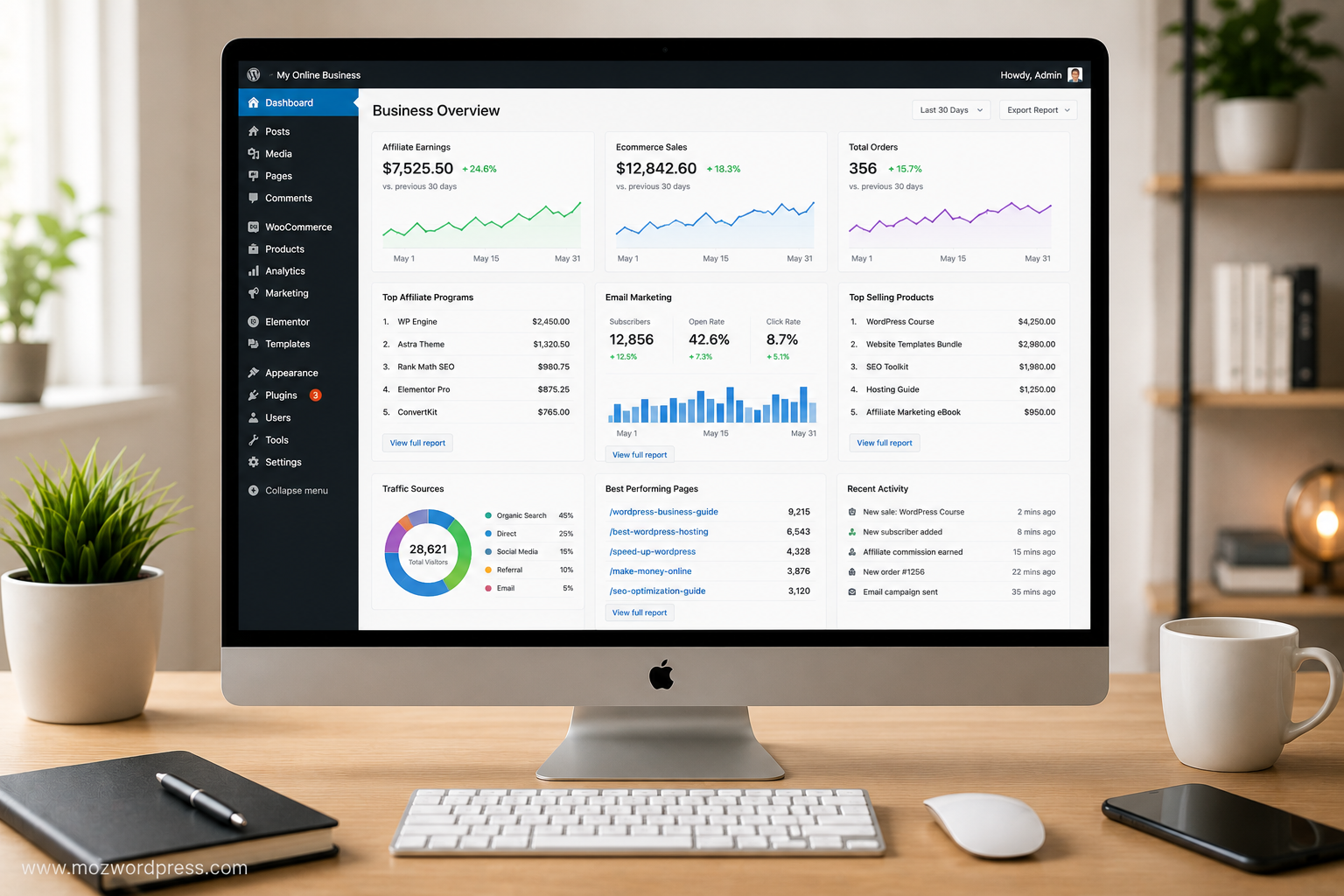
One major mistake is waiting too long before building monetization systems.
You do not need massive traffic to start generating revenue.
Effective WordPress Monetization Models
Affiliate Marketing
Promote:
- Hosting
- Themes
- Plugins
- SEO tools
- SaaS platforms
This works especially well for tutorial-based WordPress websites.
Digital Products
Sell:
- Templates
- Website kits
- Courses
- Ebooks
- Plugins
Services
Offer:
- Website setup
- SEO optimization
- Speed optimization
- Malware cleanup
Advertising
Later-stage monetization:
- Google AdSense
- Ezoic
- Mediavine
Ads alone rarely build strong businesses early.
Affiliate revenue usually scales faster initially.
Step 6: Email Lists Matter More Than Social Media Followers
Traffic can disappear overnight.
Google updates happen.
Social media reach changes.
Platforms lose popularity.
An email list remains one of the safest business assets.
What You Need
Use:
- MailerLite
- ConvertKit
- Brevo
Create:
- Simple lead magnets
- Free checklists
- WordPress setup guides
- SEO templates
Even small websites should start collecting emails early.
Step 7: Avoid Nulled Themes and Plugins
This is where many WordPress businesses get destroyed.
Nulled plugins often contain:
- Hidden malware
- Spam injections
- SEO redirects
- Admin backdoors
- Crypto mining scripts
Some infections stay hidden for months.
Real Consequences
You may experience:
- Google blacklisting
- Hosting suspension
- Traffic collapse
- Stolen admin accounts
- Affiliate link hijacking
If budget is limited, use free plugins from the official repository instead of risky downloads.
Official plugin source:
https://wordpress.org/plugins/
Step 8: Focus on Mobile Performance
Most WordPress traffic today comes from mobile devices.
A beautiful desktop design means nothing if:
- Mobile menus break
- Fonts become unreadable
- Buttons overlap
- Checkout pages lag
Mobile Optimization Checklist
- Compress images
- Avoid excessive animations
- Use caching
- Limit popup usage
- Test navigation carefully
- Use responsive layouts
Google also uses mobile-first indexing, which directly affects rankings.
Step 9: Analytics Should Guide Your Decisions
Many beginners publish content blindly.
Successful WordPress businesses rely on data.
Minimum Analytics Setup
Install:
- Google Analytics
- Google Search Console
Track:
- Traffic sources
- Bounce rate
- Top pages
- Search queries
- Conversion pages
This reveals:
- Which articles generate clicks
- Which pages lose visitors
- Which keywords deserve expansion
Without analytics, scaling becomes guesswork.
Step 10: Build Trust Before Selling Aggressively
People rarely buy from websites that feel rushed or spammy.
Trust signals matter heavily.
Important Trust Factors
- Fast loading
- HTTPS security
- Clean design
- Real contact pages
- Clear policies
- Helpful tutorials
- Honest recommendations
Avoid aggressive popups everywhere.
Visitors stay longer on sites that feel useful rather than desperate to sell.
Common Mistakes That Kill WordPress Businesses Early
Installing Too Many Plugins
This creates:
- Slower sites
- Security risks
- Plugin conflicts
Ignoring Backups
One failed update can destroy months of work.
Always keep automated backups.
Publishing Thin Content
Google increasingly rewards depth and usefulness.
Short AI-like filler articles rarely survive long-term.
Obsessing Over Design Instead of Content
A simple fast website with strong content usually outperforms visually overloaded sites.
Final Thoughts
To truly Build an Online Business with WordPress, you need consistency more than perfection.
The websites that grow are usually the ones that:
- Stay technically clean
- Publish useful content regularly
- Improve SEO gradually
- Optimize speed early
- Monetize strategically
- Avoid risky shortcuts
WordPress gives you almost unlimited flexibility, but flexibility also means responsibility.
The smartest approach is building a stable foundation first:
- Reliable hosting
- Fast theme
- Essential plugins
- Clean SEO structure
- Clear monetization model
Everything else becomes easier once those fundamentals are correct.

