

WordPress Plugins 2026: The Only 12 You Need for Speed, Security & Growth
After fixing hundreds of slow, hacked, or underperforming WordPress sites over the years, I can tell you one thing for sure: most plugin lists are bloated with fluff. In 2026, with Core Web Vitals stricter than ever, AI-driven search, and constant security threats, you don't need dozens of plugins. You need the right ones that deliver results without killing performance.
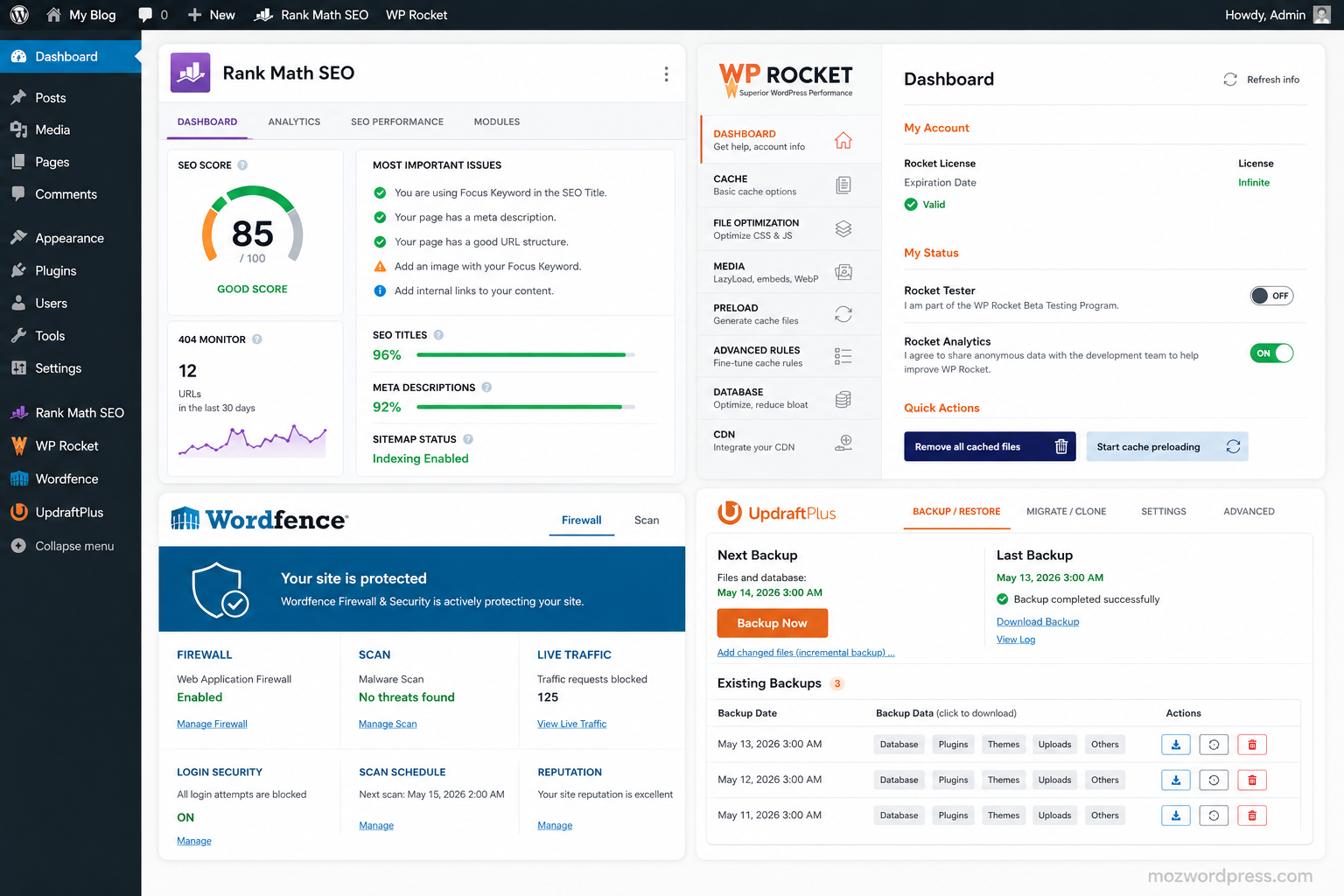
These are the WordPress plugins 2026 I install (or recommend) on nearly every site I work on — from personal blogs to client e-commerce stores and affiliate sites. I’ve tested them in real environments, not just demo dashboards.
Why Most WordPress Sites Use Too Many Plugins in 2026
The average WordPress site still runs 25+ plugins. Many conflict, slow things down, or create security holes. The goal isn’t minimalism for its own sake — it’s efficiency. Every extra plugin adds HTTP requests, database queries, or JavaScript. In 2026, that directly hurts rankings and bounce rates.
Focus on plugins that solve multiple problems or do one thing exceptionally well. Here’s the lean stack that covers 95% of needs for most users.
1. Rank Math SEO – Your All-in-One SEO Powerhouse
If you only install one SEO tool, make it Rank Math. In 2026, its AI-powered content analysis, schema markup, and 404 monitoring give it a clear edge for most users.
I’ve migrated dozens of sites from Yoast to Rank Math and seen immediate improvements in readability scores and keyword suggestions. The free version already outperforms many premium alternatives. Pro unlocks advanced redirection, Google Analytics integration, and role-based access.
Pro tip: Use its Content AI to optimize posts before publishing. It saves hours compared to manual tweaks.
Internal link suggestion: How to Set Up Rank Math for Perfect On-Page SEO
2. WP Rocket – The Caching Plugin That Just Works
Page speed remains a ranking factor and a conversion killer. WP Rocket consistently delivers the biggest speed gains with the least configuration hassle.
It handles caching, lazy loading, minification, and CDN integration better than most free alternatives. In real tests, sites go from 3-4 seconds load time to under 1.5 seconds. That’s money in the bank for affiliate and e-commerce sites.
Avoid stacking multiple caching plugins. Pick WP Rocket and deactivate the rest.
3. Wordfence Security – Your Site’s 24/7 Bodyguard
Security threats haven’t slowed down. Wordfence remains one of the most comprehensive free security solutions with its firewall, malware scanner, login protection, and real-time threat defense.
I’ve caught brute-force attacks and infected files early thanks to its alerts. The premium version adds country blocking and advanced scanning, but the free tier protects most sites effectively.
Never skip security. A single breach can wipe out months of work.
4. UpdraftPlus – Reliable Backups You Can Trust
You don’t think about backups until you need them. UpdraftPlus makes scheduling and restoring effortless, with support for cloud storage like Google Drive, Dropbox, and S3.
Set it once and forget it. I recommend weekly full backups with daily database backups for active sites. Test your restores quarterly — don’t assume they work.
5. LiteSpeed Cache or FlyingPress – Performance Beyond Basic Caching
If you’re on a LiteSpeed server (increasingly common in 2026), LiteSpeed Cache is unbeatable and completely free. For other hosts, FlyingPress or Perfmatters fine-tune what WP Rocket starts.
These tools help with image optimization, CSS/JS deferral, and object caching. Combine carefully to avoid conflicts.
6. Elementor or Gutenberg Addons – For Building Without Code
Elementor Pro still dominates for complex layouts, but Gutenberg has improved massively. For most users, a strong page builder or blocks addon is essential.
I use Elementor when clients need pixel-perfect custom designs fast. For lighter sites, I stick with core Gutenberg plus quality blocks plugins. Choose based on your technical comfort — both work great in 2026.
7. MonsterInsights – Google Analytics Without Headaches
Understanding traffic sources and user behavior is non-negotiable for growth. MonsterInsights connects cleanly to Google Analytics 4 and presents reports right in your dashboard.
Track e-commerce revenue, form submissions, and affiliate link clicks without touching code. Essential for bloggers and site owners who want data-driven decisions.
8. WPForms – Contact Forms and Lead Generation
Simple, reliable forms without bloat. WPForms handles contact forms, surveys, payments, and file uploads beautifully. The Lite version covers basics; Pro unlocks conditional logic and integrations.
I’ve replaced heavier form plugins with this and reduced load times immediately.
9. Smush or Imagify – Image Optimization Done Right
Large images kill mobile performance. Smush (by WPMU DEV) or Imagify compress and convert to WebP efficiently.
Enable lazy loading and bulk optimization. In 2026, next-gen formats like AVIF matter more than ever.
10. WooCommerce – If You Sell Anything
For online stores, WooCommerce is still the default for a reason. It’s flexible, extensible, and powers millions of stores. Pair it with lightweight extensions only.
11. Duplicator or All-in-One WP Migration – For Easy Moves and Backups
Need to migrate, clone, or stage a site? Duplicator handles large sites smoothly. Great for freelancers moving client sites or testing changes safely.
12. Burst or Site Kit by Google – Privacy-Friendly Analytics Alternative
For those concerned about GDPR or wanting lighter analytics, Burst offers on-site tracking without external scripts. Site Kit brings Google tools together cleanly.
How to Choose and Install WordPress Plugins 2026 Safely
- Audit first — Use Query Monitor or WP Health to see what’s slowing your site.
- Test in staging — Never install live on a production site.
- Deactivate and delete unused plugins — Don’t just deactivate.
- Keep everything updated — Set automatic minor updates where safe.
- Monitor performance — Tools like GTmetrix or PageSpeed Insights show real impact.
External link: For official plugin directory guidelines, check the WordPress Plugin Handbook.
Common Mistakes to Avoid with Plugins
- Installing “just in case” tools.
- Using five plugins for the same job (e.g., multiple SEO or cache plugins).
- Ignoring update notifications.
- Over-relying on page builders for simple content.
A lean stack of 8-12 well-chosen plugins almost always outperforms a messy collection of 30.
Final Thoughts: Build Once, Maintain Easily
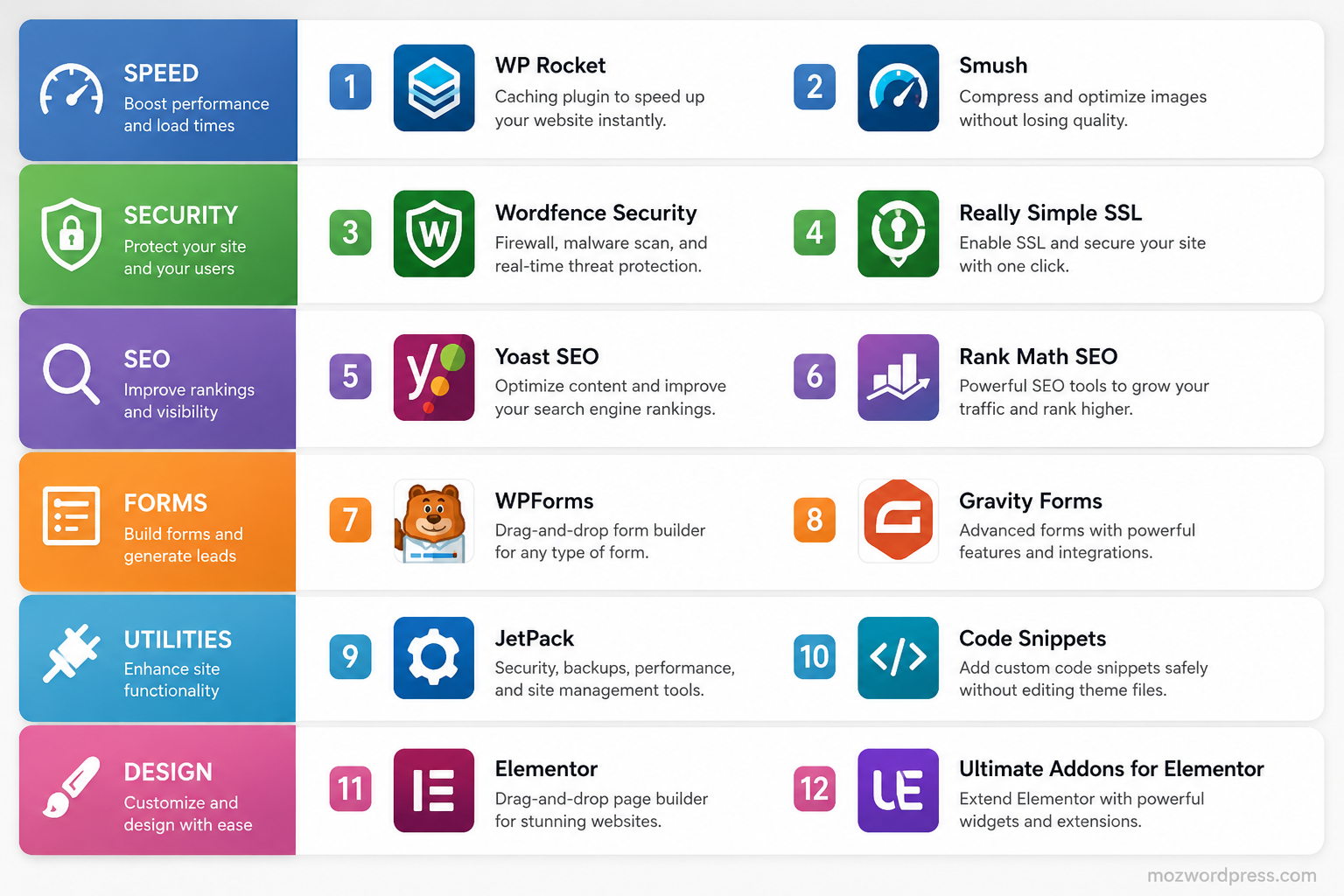
The best WordPress plugins 2026 aren’t the shiniest new releases — they’re the battle-tested ones that solve real problems without creating new ones. Start with Rank Math, WP Rocket, Wordfence, and UpdraftPlus. Add others based on your specific needs (forms, e-commerce, builders).
This combination has kept client sites fast, secure, and ranking well across different niches. Your mileage depends on hosting quality and content strategy, but these plugins remove most technical friction.
What’s in your essential list right now? Drop a comment below — I read and reply to them.

