

Create a Sales Funnel in WordPress That Actually Converts
Many WordPress users install a landing page plugin, add a contact form, and assume they have a sales funnel.
They do not.
A real funnel guides visitors through a structured process:
- Attention
- Interest
- Trust
- Action
- Follow-up
Without that structure, traffic leaks everywhere. Visitors leave without subscribing, buying, or returning.
If you want to Create a Sales Funnel in WordPress successfully, you need more than attractive pages. You need speed, psychology, automation, tracking, and clean technical execution.
This guide focuses on practical implementation that works on real WordPress websites.

What Is a Sales Funnel in WordPress?
A sales funnel is the path visitors follow before becoming customers.
In WordPress, that usually includes:
- Landing pages
- Email opt-ins
- Lead magnets
- Checkout pages
- Upsells
- Follow-up emails
A simple funnel example looks like this:
Visitor → Landing Page → Email Capture → Offer → Checkout → Follow-up Sequence
The goal is reducing friction while increasing trust.
Many beginners fail because they build pages without understanding user flow.
Why Most WordPress Funnels Fail
Most poorly performing funnels suffer from predictable problems:
- Slow-loading pages
- Too many plugins
- Weak headlines
- Confusing layouts
- Poor mobile optimization
- No email automation
- Weak trust signals
- No tracking system
Even good products struggle inside badly structured funnels.
This is why performance and clarity matter as much as design.
Step 1: Choose the Right Funnel Builder for WordPress
Before building anything, decide how you want to create funnel pages.
Option 1: Elementor
Best for:
- Beginners
- Visual editing
- Flexible design
Elementor works well for landing pages and integrates with most marketing tools.
However, excessive widgets and animations can slow pages heavily if poorly optimized.
Option 2: Gutenberg + Blocks
Best for:
- Speed-focused websites
- Lightweight funnels
- Simpler layouts
Using Gutenberg with optimized block plugins often produces faster pages than large page builders.
Option 3: FunnelKit
Best for:
- WooCommerce funnels
- Checkout optimization
- Upsells and order bumps
FunnelKit is especially useful for ecommerce businesses.
Option 4: Thrive Architect
Best for:
- Conversion-focused marketers
- Landing page testing
- Lead generation funnels
Internal Link Suggestion:
- Best WordPress Landing Page Plugins
- How to Speed Up Elementor Websites
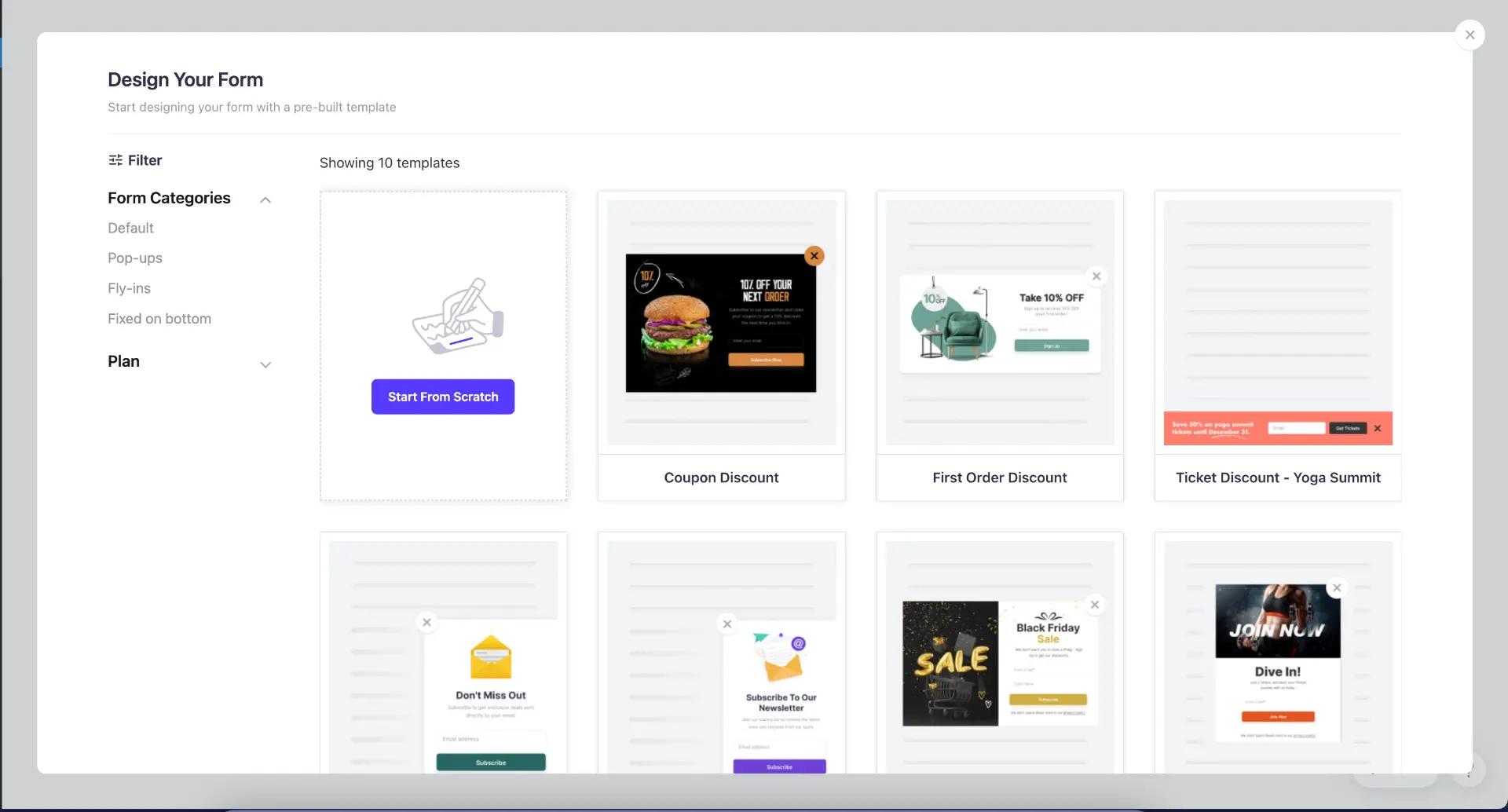
Step 2: Create a Sales Funnel in WordPress With a Fast Landing Page
Your landing page determines whether visitors continue or leave.
A slow or cluttered page kills conversions immediately.
Important Landing Page Elements
Strong Headline
The headline must explain:
- What the offer is
- Who it helps
- Why it matters
Weak example:
“Welcome to My Website”
Better example:
“Learn How to Build Faster WordPress Sites Without Expensive Developers”
Clear CTA Button
Do not confuse visitors with multiple actions.
One primary CTA works better:
- Download Guide
- Start Free Trial
- Get Instant Access
- Buy Now
Remove Unnecessary Distractions
Landing pages usually convert better without:
- Complex navigation menus
- Excessive sidebars
- Random popups
- Too many animations
Cleaner layouts reduce decision fatigue.
Step 3: Use Email Marketing From the Beginning
One of the biggest funnel mistakes is ignoring email collection.
Many visitors are not ready to buy immediately.
Without email automation, you lose those visitors permanently.
Good WordPress Email Tools
- MailerLite
- ConvertKit
- Brevo
- FluentCRM
What to Offer in Exchange
Use lead magnets like:
- WordPress checklists
- SEO templates
- Speed optimization guides
- Free mini-courses
- Plugin toolkits
The lead magnet should solve a real problem quickly.
Step 4: Build Trust Before Asking for Money
Visitors rarely buy from websites that feel suspicious or aggressive.
Trust-building matters heavily inside WordPress funnels.
Important Trust Signals
- HTTPS security
- Fast loading speed
- Real testimonials
- Clear refund policies
- About page
- Contact information
- Clean design
Avoid Aggressive Funnel Tactics
Do not overload pages with:
- Fake countdown timers
- Endless popups
- Auto-playing videos
- Misleading claims
These tactics often reduce trust instead of increasing urgency.
Step 5: Optimize Funnel Speed and Mobile Performance
Many WordPress funnels look good on desktop but perform terribly on mobile devices.
That is a major problem because mobile traffic dominates most websites today.
Funnel Speed Optimization Checklist
- Compress images
- Use caching
- Limit heavy scripts
- Use quality hosting
- Avoid unnecessary plugins
- Minimize third-party trackers
Recommended Performance Plugins
- LiteSpeed Cache
- WP Rocket
- FlyingPress
Why Funnel Speed Matters
Even small delays reduce conversions.
Slow pages increase:
- Bounce rate
- Cart abandonment
- Ad costs
- Visitor frustration
Google also factors page experience into rankings.
Official resource:
https://developer.wordpress.org/advanced-administration/performance/
Step 6: Create a Sales Funnel in WordPress Using WooCommerce
WooCommerce is one of the strongest ways to monetize WordPress funnels.
You can sell:
- Physical products
- Digital downloads
- Courses
- Services
- Memberships
Funnel Structure for WooCommerce
A practical structure looks like this:
Landing Page → Product Page → Optimized Checkout → Upsell → Email Follow-up
Plugins That Improve WooCommerce Funnels
- FunnelKit
- CartFlows
- WooCommerce Subscriptions
- Rank Math SEO
Important Checkout Optimizations
Reduce friction by:
- Removing unnecessary fields
- Enabling guest checkout
- Offering multiple payment methods
- Improving mobile usability
Many users abandon checkout because forms become frustrating.
Step 7: Add Analytics and Conversion Tracking
Without tracking, you cannot improve your funnel properly.
Guessing destroys optimization.
Minimum Tracking Setup
Install:
- Google Analytics
- Google Search Console
Track:
- Funnel drop-off points
- Conversion rates
- Traffic sources
- Most profitable pages
- Email opt-in rates
Heatmap Tools Help Too
Tools like:
- Microsoft Clarity
- Hotjar
show how users actually interact with your pages.
Sometimes small UX problems become obvious only through real visitor recordings.
Step 8: Avoid Plugin Conflicts Inside Your Funnel
WordPress funnel pages often break because too many plugins fight each other.
Common conflicts include:
- Cache plugins breaking checkout pages
- Popup plugins slowing landing pages
- SEO plugins duplicating schema
- Payment gateway conflicts
Practical Safety Tips
Before updating plugins:
- Create backups
- Test changes on staging environments
- Avoid installing abandoned plugins
- Remove inactive unused plugins
One broken update can destroy conversion pages instantly.
Step 9: Improve Conversions Gradually
Many funnel owners constantly redesign pages instead of improving strategically.
Small adjustments often outperform full redesigns.
Test Things Like
- CTA button text
- Headline wording
- Checkout layout
- Form length
- Product images
- Testimonials
Avoid Endless Random Changes
Track results carefully before assuming something improved.
Good funnels evolve based on data, not emotion.
Best Funnel Plugin Stack for Most WordPress Users
If you want a practical setup that works well without excessive complexity, this combination is effective:
Funnel Builder
- Elementor or FunnelKit
SEO Plugin
- Rank Math
Email Marketing
- MailerLite or ConvertKit
Performance
- LiteSpeed Cache or WP Rocket
Security
- Wordfence
This keeps the setup powerful while avoiding unnecessary bloat.
Common Funnel Mistakes That Waste Traffic
Sending Ads to the Homepage
Ads should point directly to focused landing pages.
Ignoring Mobile Users
A funnel that breaks on smartphones loses massive revenue.
Weak Copywriting
Even beautiful pages fail if the messaging is unclear.
Using Cheap Hosting
Poor hosting destroys:
- Speed
- Checkout reliability
- User trust
No Follow-up Emails
Most sales happen after multiple interactions.
Without follow-up automation, you lose long-term conversions.
Final Thoughts
To successfully Create a Sales Funnel in WordPress, focus on simplicity, speed, trust, and consistency.
Most funnels fail because people overcomplicate them:
- Too many plugins
- Too many popups
- Too many distractions
- Too many unnecessary pages
A clean funnel with:
- Fast loading
- Strong messaging
- Good email automation
- Reliable checkout
- Clear user flow
usually outperforms visually overloaded setups.
WordPress gives you enormous flexibility, but the best results come from building systems carefully instead of chasing shortcuts.
Strong funnels are rarely accidental.
They are built deliberately, tested gradually, and optimized continuously.

